
Beat-based store lists
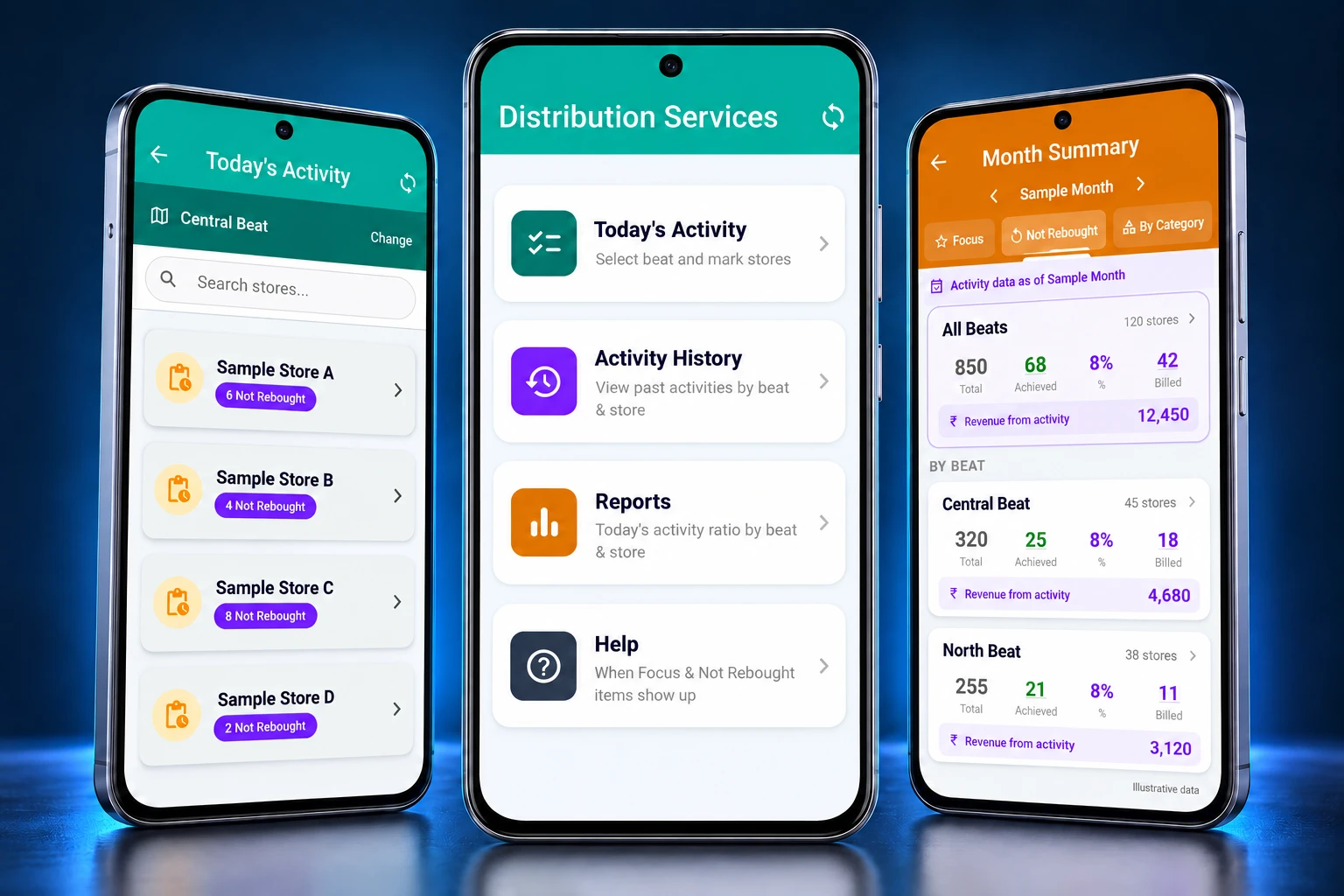
Start with a selected beat, search its stores, and open the relevant retailer record.
Portfolio · Flutter mobile app
A mobile-only application that brings beat-based store activity, purchase-category context, and distribution reporting into one connected experience.
The working context
Distribution teams need a useful view of the stores in a beat, the categories that need attention, and the activity behind the numbers.
This Flutter application organizes that work around a mobile experience. A representative can move from a daily store list into category-level context, while reporting views bring activity and purchase information together by beat and time period.
The portfolio presentation keeps the client and product identity private. The screens reflect the observed app structure; sample figures illustrate the interface rather than measured project outcomes.
Inside the experience
Capabilities observed in the owner-provided Android app, presented without identifying the product or its customers.
Start with a selected beat, search its stores, and open the relevant retailer record.
Review focus and not-rebought categories, with expandable detail for the items behind a category.
Bring the day’s store activity into a focused mobile workflow, with clear navigation between the list and retailer context.
Explore reporting by day, month, and week, with beat-level summaries and category views.
See activity, billed totals, and revenue context within the reporting interface.
Revisit activity history and consult in-app guidance on the category visibility rules.
The mobile journey
Open daily activity and use a selected beat to find the store you need.
Move into category context and expand the relevant information before the next conversation.
Explore reports and history to see how store-level work connects with beat-level activity.
Built with Flutter
A phone-based experience for work that moves between stores, categories, and reports.
The app uses Flutter to bring lists, search, tabs, expandable category cards, and reporting into a consistent mobile interface. The showcase focuses on the phone-based Android experience.
Explore our web and mobile servicesStore activity
Category context
Distribution reporting
Keep exploring
Explore the TopSpin Tennis Academy website or return to the full portfolio.
Make the next step a useful one
Tell us about the people, information, and decisions your mobile application needs to connect.